
Meta Description:
60Hz vs 90Hz vs 120Hz explained: Compare smoothness, gaming, battery life, scrolling and performance to find the best smartphone refresh rate in 2026.
60Hz vs 90Hz vs 120Hz: Which Smartphone Refresh Rate Should You Choose in 2026?
When buying a new smartphone, you will often see specifications such as 60Hz, 90Hz, 120Hz or even higher refresh rates.
At first, these numbers can look like another piece of technical information that only gamers need to understand. But refresh rate actually affects something you experience every time you use your phone: how smooth the screen feels.
Scrolling through Instagram, swiping between home screens, browsing websites, opening menus and playing supported games can all feel noticeably different depending on the display's refresh rate.
A 60Hz display refreshes the screen up to 60 times per second. A 90Hz display can refresh up to 90 times per second, while a 120Hz display can refresh up to 120 times per second. Android's own documentation notes that modern devices commonly support 90Hz and 120Hz displays, with higher refresh rates generally making actions such as scrolling feel smoother.
But does that mean 120Hz is automatically the best choice?
Not necessarily.
A higher refresh rate can improve smoothness, but it can also increase power consumption when the device actually operates at that higher rate. Modern Android devices increasingly use adaptive refresh-rate systems that can change the refresh rate depending on what's happening on the screen.
So, should you buy a 60Hz, 90Hz or 120Hz smartphone in 2026?
Let's break it down.
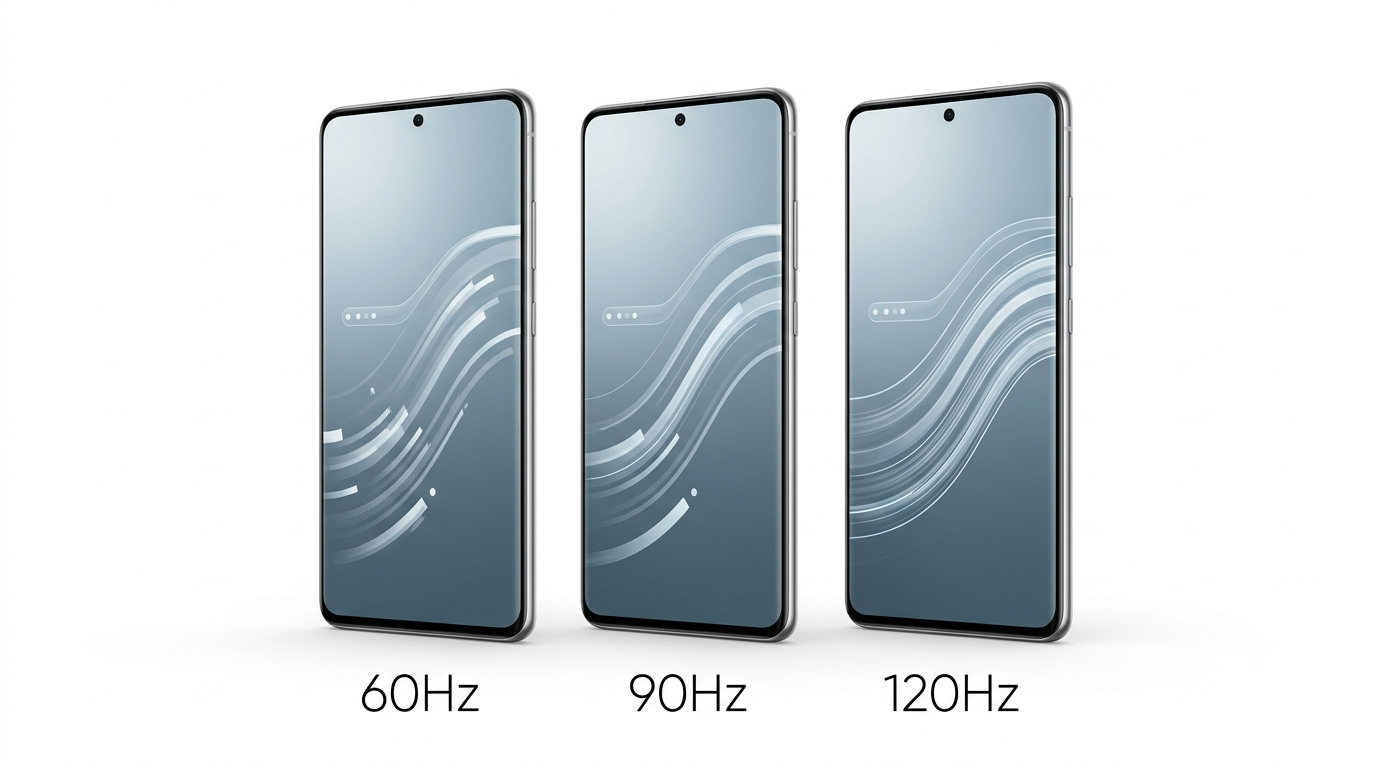
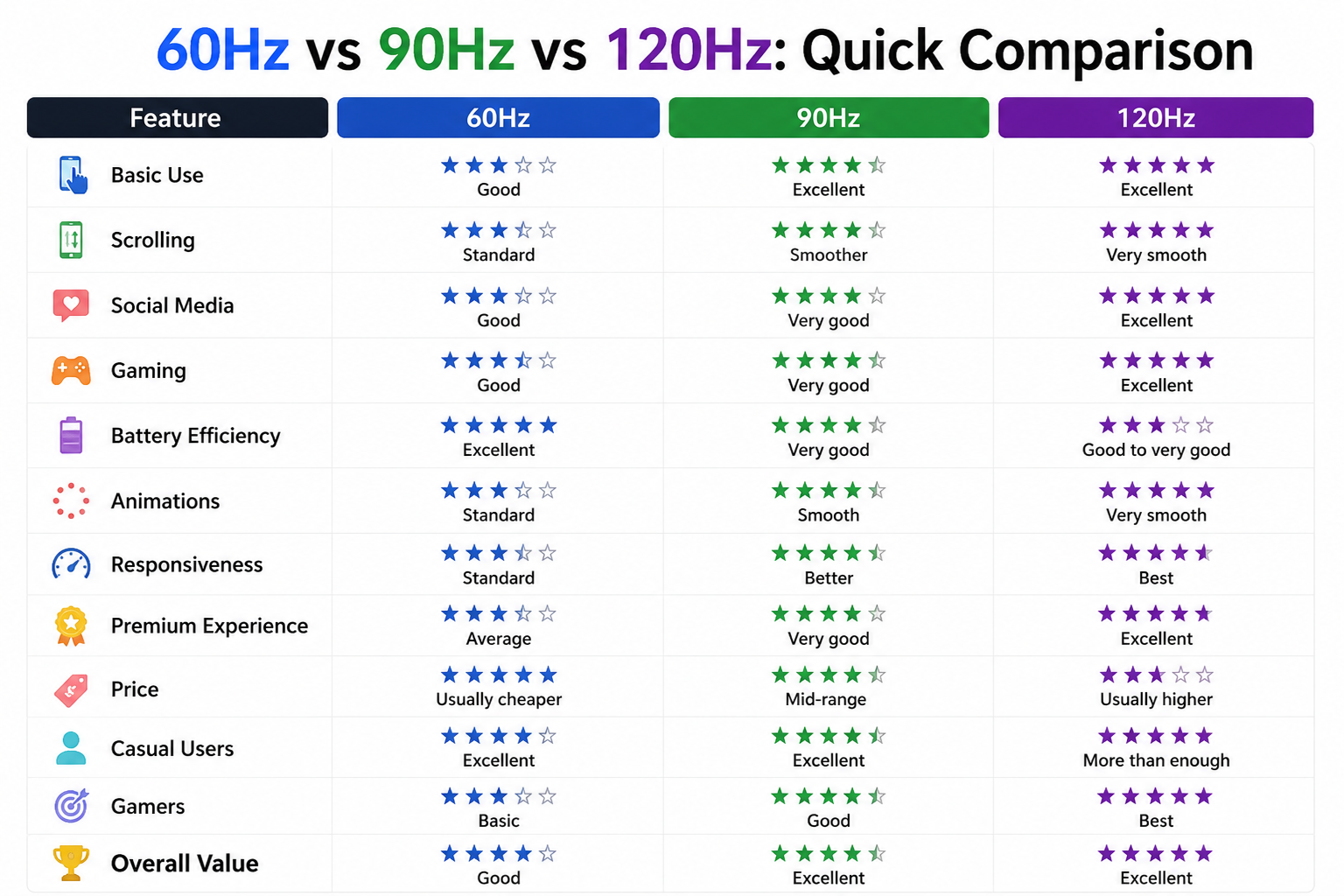
The important thing is that the difference between these refresh rates isn't simply about a bigger number.
Your phone also needs a capable processor, good software optimization and apps or games that can take advantage of higher refresh rates.
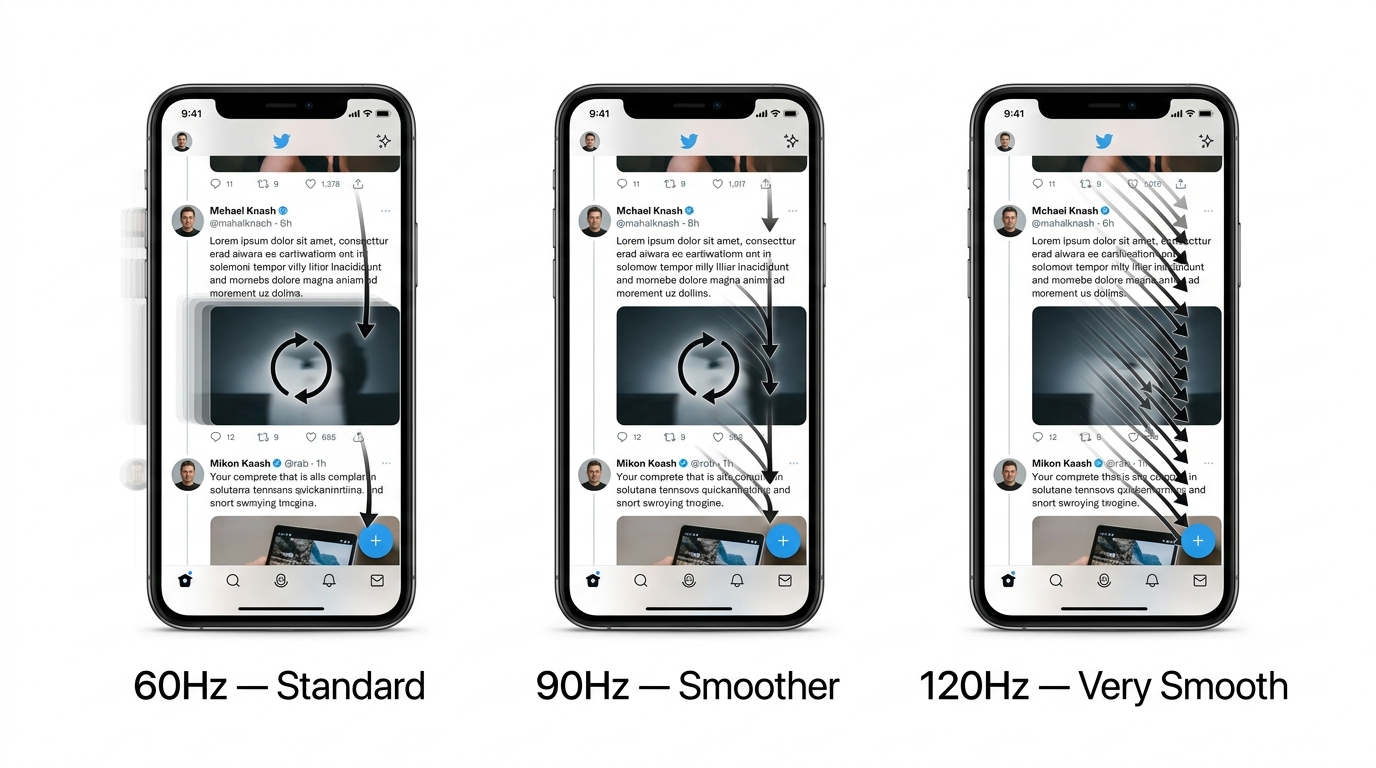
What Is Refresh Rate?
Refresh rate is measured in Hertz (Hz).
It tells you how many times a display can update its image in one second.
For example:
60Hz = up to 60 refreshes per second
90Hz = up to 90 refreshes per second
120Hz = up to 120 refreshes per second
A higher refresh rate allows the display to update more frequently.
This can make movement appear smoother.
Imagine scrolling through a long webpage.
On a 60Hz screen, the display updates at a maximum of 60 times per second. On a 120Hz display, it can update twice as often.
The difference may not sound huge when written as numbers, but once you use a good 120Hz smartphone, many people notice the smoother scrolling almost immediately.
However, refresh rate should not be confused with frame rate.
That's an important distinction.
Refresh Rate vs FPS: What's the Difference?
These two terms are often used together, but they describe different things.
Refresh Rate
Refresh rate is a characteristic of the display.
It tells you how frequently the screen can refresh.
FPS
FPS stands for frames per second.
It describes how many frames the phone's processor and GPU are actually producing for a game or application.
Think about it this way:
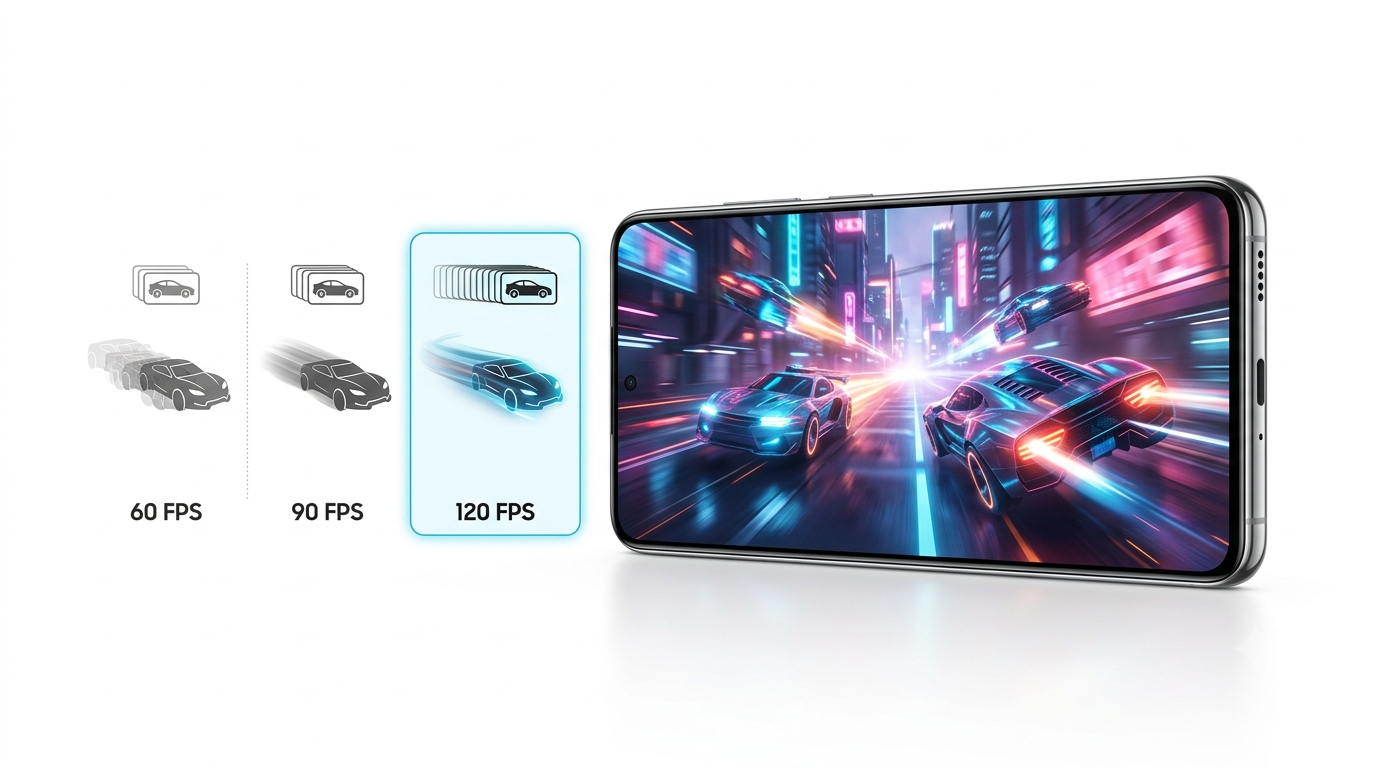
Your phone has a 120Hz display, but a game is running at 60 FPS.
The display can refresh 120 times per second, but the game is only producing 60 frames per second.
Therefore, the 120Hz panel doesn't magically make the game run at 120 FPS.
Android's game-development documentation specifically points out that if a game has a target frame rate lower than the display refresh rate, there may be no benefit from running the display at the higher rate, while power consumption can still increase.
This is why a powerful processor and GPU still matter for gaming.
What Does 60Hz Mean on a Smartphone?
60Hz was the traditional standard for smartphone displays for many years.
A 60Hz screen can update its image up to 60 times per second.
For basic tasks, 60Hz still works perfectly well.
You can:
• Browse websites
• Watch YouTube
• Use WhatsApp
• Check email
• Scroll social media
• Take photos
• Use Google Maps
• Watch movies
• Play games
There is nothing fundamentally wrong with a 60Hz display.
The problem is that once you become accustomed to a higher refresh-rate screen, 60Hz can sometimes feel less smooth by comparison.
This is especially noticeable when scrolling through menus or webpages.
Advantages of 60Hz
• Lower hardware requirements
• Potentially better battery efficiency
• Often cheaper
• Suitable for basic smartphone use
• Enough for many video playback scenarios
Disadvantages
• Less smooth scrolling
• Less fluid animations
• Less ideal for competitive gaming
• Can feel dated on premium smartphones
For an inexpensive smartphone, 60Hz can still be reasonable.
But in 2026, if you're buying a mid-range or premium smartphone, 90Hz or 120Hz usually provides a better overall experience.
What Does 90Hz Mean?
A 90Hz display can refresh up to 90 times per second.
That is a noticeable step above 60Hz.
The difference isn't as dramatic as going from 30Hz to 60Hz, but once you start scrolling, you can generally see that animations and movement feel smoother.
90Hz can be an excellent middle ground.
It provides a smoother experience without necessarily requiring the phone to operate at 120Hz all the time.
For someone who wants a better display experience but doesn't care about having the absolute highest refresh rate, 90Hz is often enough.
Advantages of 90Hz
• Smoother than 60Hz
• Good for social media
• Better scrolling
• Good for gaming
• Often available at reasonable prices
• Can provide a strong balance between smoothness and efficiency
Disadvantages
• Not as smooth as 120Hz
• Some games may not support 90 FPS
• The difference from 120Hz becomes noticeable when comparing displays directly
Who should choose 90Hz?
90Hz is a great choice for:
• Students
• Everyday users
• Social media users
• Budget-conscious buyers
• Casual gamers
If you are upgrading from 60Hz, 90Hz can already feel like a meaningful improvement.
What Does 120Hz Mean?
A 120Hz display can refresh up to 120 times per second.
It has become one of the most popular refresh rates in modern smartphones.
The biggest advantage is simple:
Everything can feel smoother.
Scrolling websites, switching between applications, opening menus and moving through animations can all appear more fluid.
Gaming is another major use case.
If a compatible game can actually render at high frame rates, a 120Hz screen provides the display capability needed to show those frames.
Android's documentation notes that many modern devices support 120Hz displays, while developers can use Android's frame-rate APIs to help applications make better use of supported refresh rates.
Advantages of 120Hz
• Very smooth scrolling
• Excellent animations
• Great gaming experience
• Better responsiveness
• Premium feel
• Excellent for supported high-FPS games
Disadvantages
• Can consume more power at high refresh rates
• Usually costs more
• Not every app or game benefits equally
• Requires compatible hardware and software to make full use of it
For most people buying a mid-range or flagship smartphone in 2026, 120Hz is the sweet spot
60Hz vs 90Hz: Is 90Hz Really Better?
Yes.
If both displays are otherwise similar, 90Hz generally provides smoother motion than 60Hz.
The difference is particularly noticeable when:
• Scrolling quickly
• Swiping through menus
• Browsing long webpages
• Switching between apps
• Playing games that support higher frame rates
However, don't assume that a 90Hz phone is automatically better than a 60Hz phone.
Display quality involves much more than refresh rate.
A high-quality 60Hz OLED display with excellent brightness, contrast and color accuracy can still be better overall than a poor-quality 90Hz LCD panel.
Verdict
90Hz is a worthwhile upgrade over 60Hz, but look at the complete display specification.
90Hz vs 120Hz: Can You Notice the Difference?
Yes, but the difference is more subtle than the jump from 60Hz to 120Hz.
Both 90Hz and 120Hz feel smooth.
The difference becomes more noticeable when you:
• Scroll quickly
• Play fast-paced games
• Compare the two phones side by side
• Use a phone with excellent touch response
• Spend a lot of time navigating the interface
120Hz offers a more fluid experience, but whether it's worth paying extra depends on the phone's overall price and specifications.
If the 120Hz model costs only slightly more, I'd choose 120Hz.
If choosing 120Hz means sacrificing a significantly better processor, camera or battery, 90Hz may be the smarter purchase.
60Hz vs 120Hz: Is the Difference Huge?
This is probably the most important comparison.
Going from 60Hz to 120Hz effectively doubles the maximum display refresh frequency.
The difference can be easy to notice while scrolling.
At 60Hz, each refresh takes about 16.7 milliseconds.
At 90Hz, it is about 11.1 milliseconds.
At 120Hz, it is about 8.3 milliseconds.
This doesn't mean the entire phone suddenly becomes twice as fast.
The processor isn't automatically twice as powerful.
Apps don't automatically load twice as quickly.
The benefit is primarily smoother motion and more frequent display updates.
That's why a 120Hz phone can feel more responsive even if application loading times are similar to a 60Hz phone.
Does 120Hz Make a Phone Faster?
No.
This is one of the biggest misconceptions about high-refresh-rate displays.
A 120Hz display doesn't make your processor faster.
If an application takes two seconds to open, changing from 60Hz to 120Hz doesn't necessarily make it open in one second.
Instead, 120Hz makes supported movement and animations look smoother.
Think of it like watching a video.
More frames can make movement look smoother, but they don't necessarily make the underlying action happen faster.
So when buying a phone, don't choose 120Hz at the expense of a much weaker processor.
120Hz for Gaming: Is It Worth It?
For gamers, 120Hz can be very useful.
But there is a catch.
The game must support high frame rates, and the phone must be powerful enough to maintain them.
Suppose you have a 120Hz smartphone.
If your game is locked at 30 FPS, the display can't magically turn those 30 frames into 120 unique frames.
If the game runs at 60 FPS, you can still benefit from a capable 120Hz display in some situations, but you aren't getting 120 unique game frames per second.
For games that support 90 FPS or 120 FPS, the benefit becomes much clearer.
Android recommends matching game frame rates and display refresh rates as closely as practical because running the display faster than the game's actual frame rate can consume additional power without providing an equivalent visual benefit.
Gaming verdict
120Hz is the best choice for gaming, provided your phone and games can actually take advantage of it.
Does 120Hz Use More Battery?
Potentially, yes.
A display operating at a higher refresh rate may require more power than operating at a lower rate.
Android's own game-development guidance states that higher refresh rates can increase display power consumption.
But modern smartphones are smarter than simply running at 120Hz all day.
Many use adaptive refresh rate.
For example, Android's adaptive refresh-rate system can allow supported devices to adjust refresh behavior according to the content being displayed. Android 15 introduced ARR support, while Android 16 added additional APIs to make adaptive refresh-rate behavior easier for apps to use.
This means your phone can potentially use a high refresh rate when you're scrolling and a lower rate when the screen is mostly static.
That gives you some of the benefits of 120Hz without necessarily keeping the display at maximum refresh constantly.
What Is Adaptive Refresh Rate?
Adaptive refresh rate is one of the most useful display technologies in modern smartphones.
Instead of forcing the display to operate at one refresh rate all the time, the system can change it depending on the situation.
For example:
Scrolling → higher refresh rate
Static screen → lower refresh rate
Compatible game → high refresh rate
Battery-saving situation → lower refresh rate
The exact behavior depends on the phone's hardware and software.
Android's adaptive refresh-rate documentation explains that supported devices can dynamically match display refresh behavior to content, reducing unnecessary high-refresh operation and helping reduce power consumption.
This is why a 120Hz phone with a good adaptive system can be much more efficient than you might expect.
Does 120Hz Improve Social Media?
Yes.
Social media apps are actually one of the places where high refresh rates are easiest to appreciate.
When you scroll through:
• Instagram
• Facebook
• X
• Reddit
• YouTube
• Web browsers
you are constantly moving content across the screen.
A higher refresh rate can make that movement look smoother.
However, the app also needs to render frames appropriately.
If an app is limited to a lower frame rate or isn't optimized for higher refresh rates, you may not get the full benefit.
Android provides frame-rate APIs that allow apps to communicate their desired frame rate to the system, although the final refresh rate is determined by the platform and device.
Winner: 120Hz
Is 120Hz Better for Watching Movies?
Not necessarily.
This is an interesting point.
Most movies are not recorded at 120 frames per second.
Many movies use 24 FPS.
Android's documentation explains that matching display refresh rates to video frame rates can help avoid judder. For example, a 120Hz display can divide evenly into 24Hz, which can be useful for smooth movie playback.
So a 120Hz display can be beneficial for video playback, but don't assume that every movie will suddenly look like a 120 FPS game.
For movies, display quality, HDR support, brightness, contrast and color accuracy can matter more than simply having the highest refresh rate.
60Hz vs 90Hz vs 120Hz for Students
For students, I would rank the options like this:
60Hz
Perfectly usable.
Good if you're buying a very affordable phone.
90Hz
Excellent balance.
Great for browsing, studying, social media and everyday use.
120Hz
Best experience, but not essential.
If the price difference is small, choose 120Hz.
If you have a limited budget, 90Hz is already a very good option.
Student Recommendation
90Hz = best value
120Hz = best overall experience
60Hz vs 90Hz vs 120Hz for Battery Life
If battery life is your top priority, 60Hz has an obvious advantage in terms of maximum refresh frequency.
But the real-world result isn't always that simple.
A 120Hz phone with adaptive refresh technology can lower its refresh behavior when high refresh isn't needed.
A phone's battery life also depends on:
• Processor efficiency
• Display brightness
• Screen size
• Resolution
• Battery capacity
• Mobile network
• Apps
• Background activity
• Software optimization
Therefore, don't assume that:
60Hz = amazing battery life
or:
120Hz = terrible battery life
The complete phone matters.
90Hz vs 120Hz: Which Is Better for Battery?
If both phones are identical and one runs permanently at 90Hz while the other runs permanently at 120Hz, the lower refresh rate can have a power advantage.
But if the 120Hz phone uses adaptive refresh-rate technology effectively, the real-world difference may be smaller.
Android's adaptive refresh-rate system was specifically designed to reduce unnecessary high-refresh operation while maintaining smoothness when it matters.
So don't avoid 120Hz purely because you're worried about battery.
Instead, look for a phone with good adaptive refresh-rate management.
What About 144Hz and 165Hz Smartphones?
Some gaming smartphones go beyond 120Hz.
You may see:
• 144Hz
• 165Hz
• Even higher refresh rates in specialized devices
These can provide additional smoothness, especially in gaming.
But the difference between 120Hz and 144Hz is much less obvious to most people than the difference between 60Hz and 120Hz.
For most smartphone buyers:
60Hz → 120Hz = major upgrade
90Hz → 120Hz = noticeable upgrade
120Hz → 144Hz = smaller upgrade
If you aren't a serious mobile gamer, there is usually little reason to pay a large premium for 144Hz or 165Hz.
Does Touch Sampling Rate Matter?
Yes, especially for gamers.
Don't confuse refresh rate with touch sampling rate.
Refresh rate describes how frequently the display updates.
Touch sampling rate describes how frequently the phone checks for touch input.
A gaming phone might have:
• 120Hz display
• High touch sampling rate
This combination can make the device feel responsive during fast gameplay.
However, a high touch sampling rate alone doesn't guarantee a great gaming experience.
Processor performance, software, latency and game optimization still matter.
Should You Buy a 60Hz Phone in 2026?
For some people, absolutely.
If you're buying a very affordable smartphone and your primary activities are:
• WhatsApp
• Calls
• YouTube
• Basic browsing
• Banking
• Maps
• Light social media
60Hz can still do the job.
But if you're spending a significant amount on a new smartphone, I'd strongly recommend looking for at least 90Hz.
At the mid-range level, 120Hz is increasingly attractive.
Should You Buy a 90Hz Phone in 2026?
Yes, especially if you want value.
90Hz is a very good middle ground.
You get noticeably smoother scrolling than 60Hz without necessarily needing to spend flagship-level money.
For a budget or mid-range phone, I would consider:
90Hz + good processor + good battery
a better combination than:
120Hz + weak processor + poor battery
Specifications need to work together.
Should You Buy a 120Hz Phone in 2026?
For most people with a reasonable budget, yes.
120Hz provides a noticeably smoother experience and is especially useful for:
• Gaming
• Social media
• Browsing
• Fast scrolling
• Animations
• Premium smartphone use
The best situation is a 120Hz display with adaptive refresh rate.
That gives you high refresh when you need it and lower refresh when you don't.
Common Refresh Rate Myths
Myth 1: 120Hz Means Everything Runs at 120 FPS
False.
The display can refresh at up to 120Hz, but the application or game may render fewer frames.
Myth 2: 120Hz Makes the Processor Faster
False.
It improves visual smoothness, not raw processor performance.
Myth 3: 60Hz Is Always Better for Battery
Not necessarily.
Battery life depends on the entire smartphone.
Myth 4: 120Hz Is Only Useful for Gaming
False.
Scrolling and animations are some of the most noticeable everyday benefits.
Myth 5: 144Hz Is Always Better Than 120Hz
Technically it offers a higher maximum refresh rate, but the real-world difference is relatively small for most users.
How to Choose the Right Refresh Rate
Here's a simple buying guide.
Choose 60Hz if:
• You have a very tight budget
• You don't care about ultra-smooth scrolling
• You mainly perform basic tasks
• Battery efficiency is your priority
Choose 90Hz if:
• You want excellent value
• You browse and use social media frequently
• You're a student
• You play casual games
• You want a noticeable upgrade from 60Hz
Choose 120Hz if:
• You want a premium experience
• You play demanding games
• You scroll heavily
• You want smoother animations
• You plan to keep the phone for several years
• The price difference is reasonable
Choose 144Hz/165Hz if:
• You're a serious mobile gamer
• The phone specifically benefits from the higher rate
• You understand that the difference from 120Hz is relatively small
What Else Should You Check Besides Refresh Rate?
Don't buy a phone based only on the Hz number.
Before purchasing, check:
Display Type
AMOLED/OLED generally offers excellent contrast and deep blacks.
Brightness
Important for outdoor visibility.
Resolution
Higher resolution can produce sharper images and text.
Processor
Especially important for gaming and demanding apps.
Battery
Higher refresh rates can increase display workload, so battery capacity and efficiency matter.
Adaptive Refresh Rate
This can provide a better balance between smoothness and power consumption.
Touch Sampling
Important for gaming and fast interactions.
Software Optimization
A well-optimized 90Hz phone can feel better than a poorly optimized 120Hz phone.
60Hz vs 90Hz vs 120Hz: Final Verdict
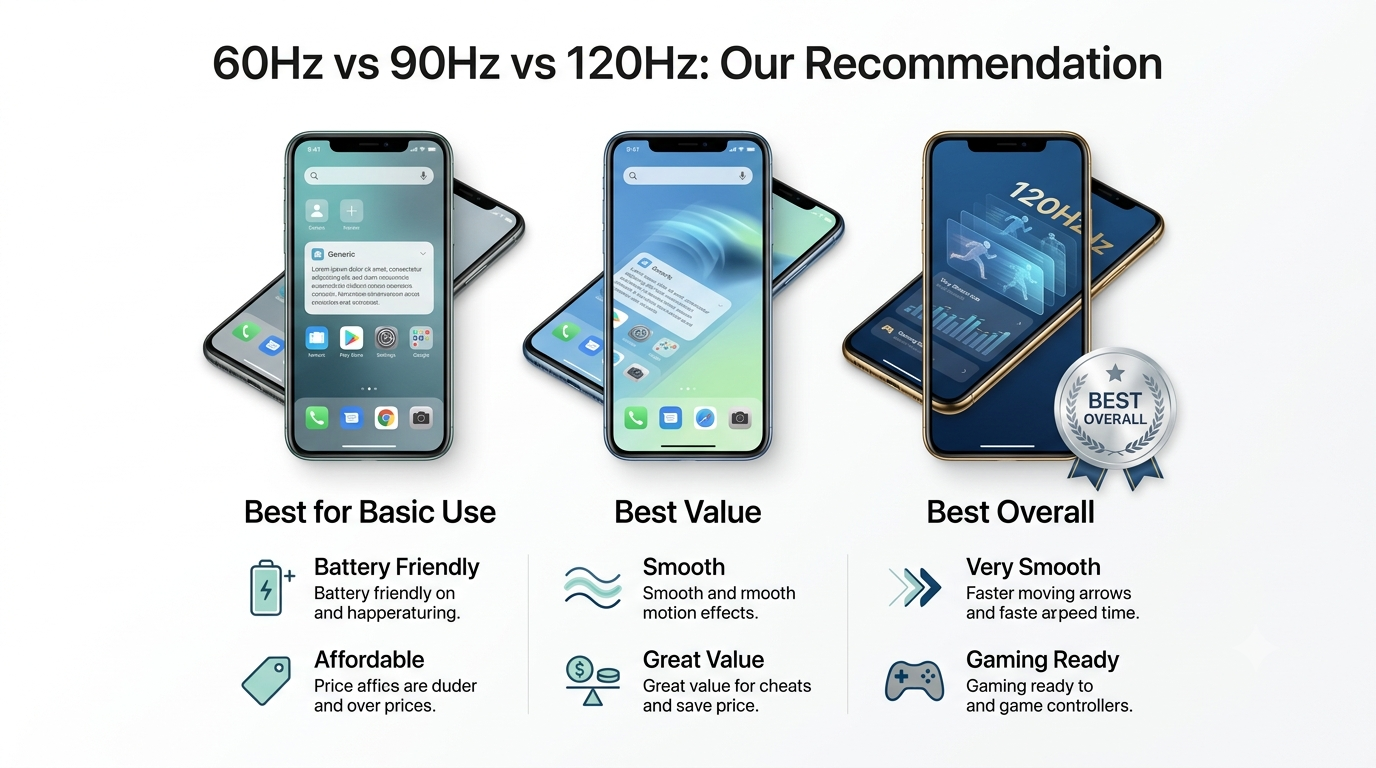
So, which smartphone refresh rate should you choose in 2026?
For most buyers, 120Hz is the best overall option.
It provides smooth scrolling, fluid animations and excellent gaming potential without requiring the extreme refresh rates found on some specialized gaming phones.
But 90Hz shouldn't be overlooked.
If you're shopping on a budget, 90Hz can offer one of the best balances between price and experience.
60Hz remains perfectly usable for basic smartphone users, especially when affordability and battery efficiency are more important than premium smoothness.
The most important lesson is that higher Hz doesn't automatically mean a better smartphone.
A 120Hz display can't compensate for a weak processor, poor software optimization, low brightness or bad battery life.
Similarly, a 90Hz phone with excellent hardware can provide a much better overall experience than a poorly designed 120Hz phone.